
I have created lots of reports with multiple bookmarks. Each bookmark contains visuals that are either hidden or displayed dependent upon which bookmark is being viewed.
You need to drag the reports over each other so they are in the same place. If you have more than 2 bookmarks, as you can imagine this can get quite fiddly to look after.
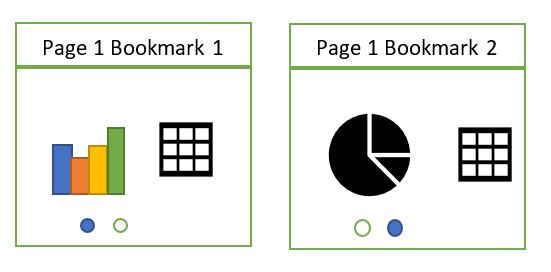
This is really useful if, for example there are a couple of visuals you want to toggle, but the other visuals remain the same.
The toggle buttons contain an action that flicks to the corresponding bookmark
The other way of doing is having two pages rather than one page

This means that you don’t have to hide visuals and is clearly much easier to maintain. So why would you decide to go with option 1?

When you drill through to the next level of detail (The above is just a simple example, instead of hitting on page that you can toggle through visuals, you are given drillthrough to both pages.
This is not what we want. We just want one drill through for the user

This is where you would definitely want to use multiple bookmarks on a page, showing and hiding the visuals dependent upon what is selected.
And the next question is, why cant you just use a slicer?
A slicer is great when the visuals and the fields remain the same, you are just changing a category (For example, your visual contains year and you have a slicer to select a year)
You cant use a slicer if you are changing visuals AND fields.
Just a little something to keep in mind when you are designing using toggles and bookmarks
 Debbies Microsoft Power BI, SQL Fabric and Azure Blog